How to Train Your Staff on a Tablet-Based POS in One Day
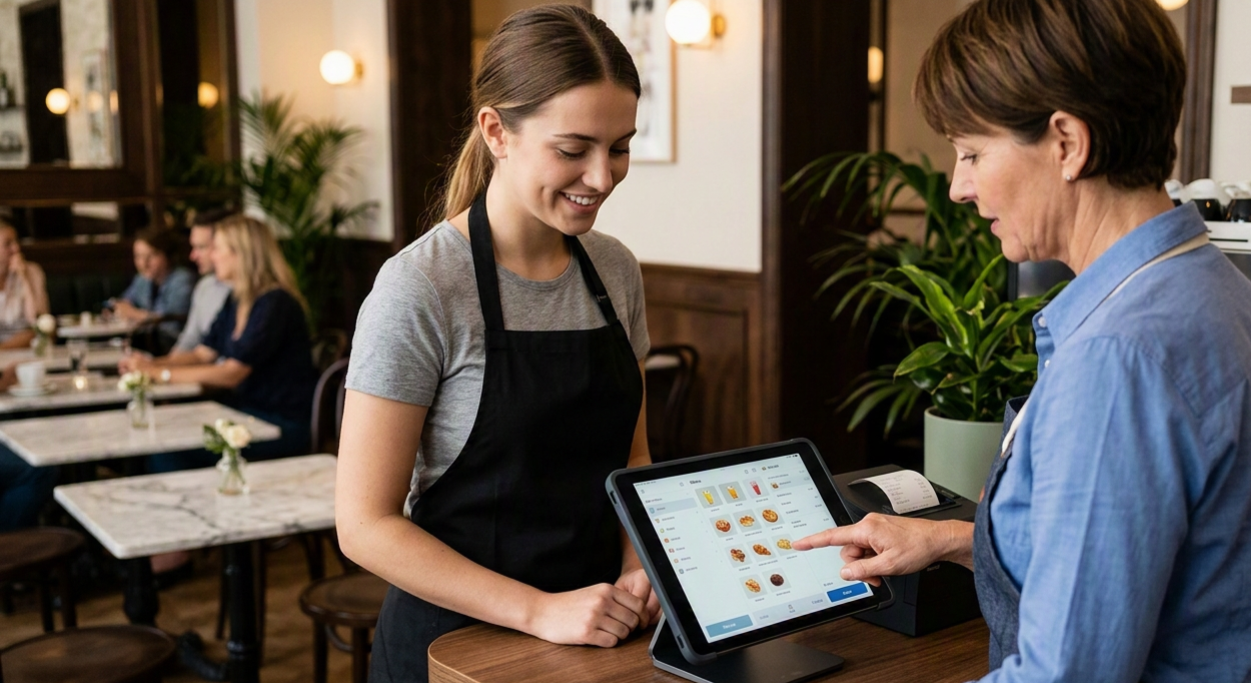
A new POS rollout usually comes with a familiar fear: a full day of lost sales while staff fumble through menus they've never seen. It doesn't have to go that way. Tablet-based systems like ROVA are built around the same tap-and-swipe logic your team already uses on their phones, which means the learning curve is far shorter than legacy terminal training ever was. With the right structure, you can take a full front-of-house team from zero to comfortable in a single working day — and still open for service that evening.
Below is the exact schedule we recommend to restaurants and retail teams switching to a tablet POS, along with the small details that make the difference between a smooth launch and a chaotic one.
Why one day is realistic for a tablet POS
Traditional POS terminals often needed multi-day training because staff had to memorize button grids, hidden menus, and manager overrides buried three screens deep. Tablet POS systems flip that model. The interface mirrors consumer apps — large tiles, visual menu categories, drag-and-drop modifiers — so most staff recognize the patterns instantly. The training challenge isn't learning software anymore; it's building muscle memory for your specific menu and workflow. That's a one-day problem, not a one-week one.
Before training day: set up for success
The single biggest predictor of a smooth training day isn't what happens during the session — it's what happens before it.
- Load the real menu first. Training on placeholder items ("Product 1", "Product 2") teaches staff nothing useful. Have your actual menu, prices, modifiers, and categories fully configured before anyone touches a tablet.
- Pick a quiet day. Choose a slow shift or a closed morning for the session, not the two hours before a dinner rush.
- Charge every device. Nothing kills momentum like a tablet dying mid-demo.
- Print a one-page cheat sheet. A single card with the 6–8 most common actions (open a table, apply a discount, split a bill, process a refund) gives staff something to glance at during their first real shifts.
- Assign a "POS champion." Pick one confident staff member to be trained slightly ahead of the group so they can help troubleshoot on the floor afterward.
The one-day training schedule
This breakdown assumes a team of 6–10 staff and a half-day session, which is usually enough. Larger teams can run it in two smaller batches back-to-back.
Morning: core skills (2 hours)
- Orientation (15 min). Walk through the tablet's layout: order screen, floor plan or queue view, payments screen, and settings. Keep this high-level — staff will absorb it faster once they're tapping through it themselves.
- Guided order-taking (45 min). Pair staff up and have them place mock orders using the real menu — starting with simple single-item orders, then adding modifiers, combos, and special requests.
- Payments and splits (30 min). Practice every payment type you accept, plus bill-splitting and partial payments, since these are where new staff hesitate most in front of customers.
- Discounts, voids, and refunds (30 min). These are typically manager-gated actions. Make sure both staff and managers know exactly who can approve what, and practice the approval flow itself.
Afternoon: real conditions (2 hours)
- Simulated rush (45 min). Run a fast-paced round where trainers "order" rapidly and staff process it live, mimicking peak-hour pressure.
- Edge cases (30 min). Cover the situations that actually cause stress: a customer wants to add an item after paying, a printer jams, the internet drops. Show the offline mode if your system has one.
- Shadow shift (45 min). If possible, let trainees work a short real shift with a trainer standing beside them, stepping in only when needed.
Five tips that speed up adoption
- Train in pairs, not lectures. Two staff sharing one tablet learn faster than ten staff watching one demo — they can ask each other questions without feeling like they're slowing the group down.
- Use real customer scenarios, not abstract examples. "A table of four wants to split three ways with one person paying by card" sticks better than a generic walkthrough.
- Let staff make mistakes in training, not on the floor. A voided mock order in training costs nothing; the same mistake with a real customer costs trust.
- Keep the cheat sheet physical, not digital. A laminated card taped near the counter gets used far more than a PDF someone has to go find.
- Debrief at the end of the first live shift. Ten minutes after service, ask what felt confusing. Fix it before the next shift, while it's still fresh.
What to expect in the first week
Even a great training day won't make staff perfectly fluent overnight. Expect order times to run 10–20% slower for the first few shifts as muscle memory builds, and expect a handful of questions about edge cases you didn't cover — that's normal. What you shouldn't see, if training day was structured well, is staff avoiding the tablet, asking a manager to take over orders, or reverting to paper tickets. If that's happening, it's usually a sign the menu wasn't fully configured before training, or that discount and refund permissions weren't clearly explained.
Final thoughts
The goal of a one-day rollout isn't to make every staff member an expert by closing time — it's to get them comfortable enough to run a real shift without hand-holding. Tablet POS systems are designed to make that realistic: intuitive layouts, visual menus, and workflows that map to how people already use touch devices. Put the prep work in beforehand, structure the day around real scenarios instead of abstract features, and your team will be ready for service by evening.
Rolling out a new POS? ROVA's tablet-based ordering system is built for fast staff adoption, with an interface your team will recognize from day one. Talk to our team about a smooth switchover.